Notes on talking to your computer.
Guides on voice dictation, AI prompting, and keeping your speech private, from the team building SpeakoFlow.
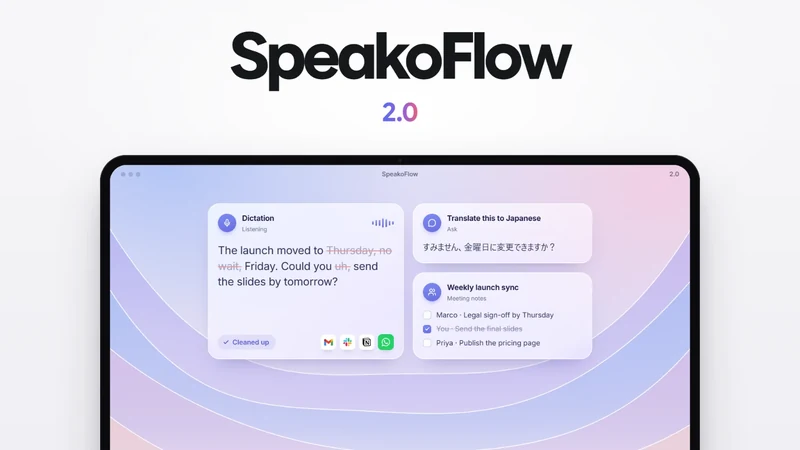
Compare dictation apps
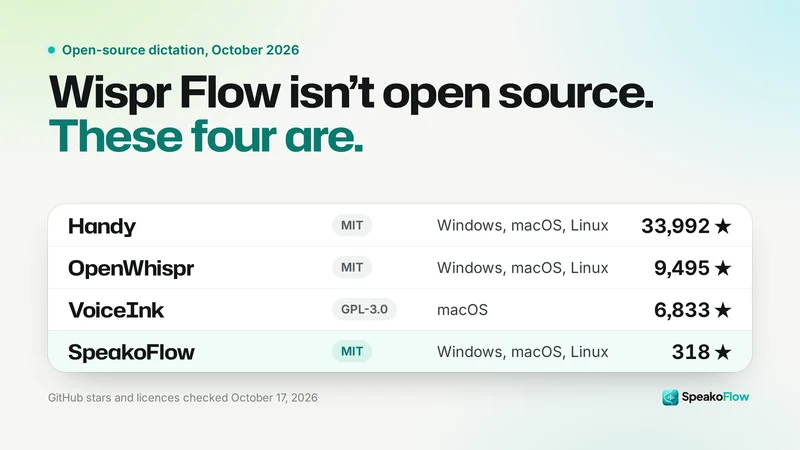
Wispr Flow isn't open source: 4 free alternatives that are
Wispr Flow is polished, but its code is closed and your speech is transcribed on its servers. These free, open-source apps type into any app from your own computer.
Read the post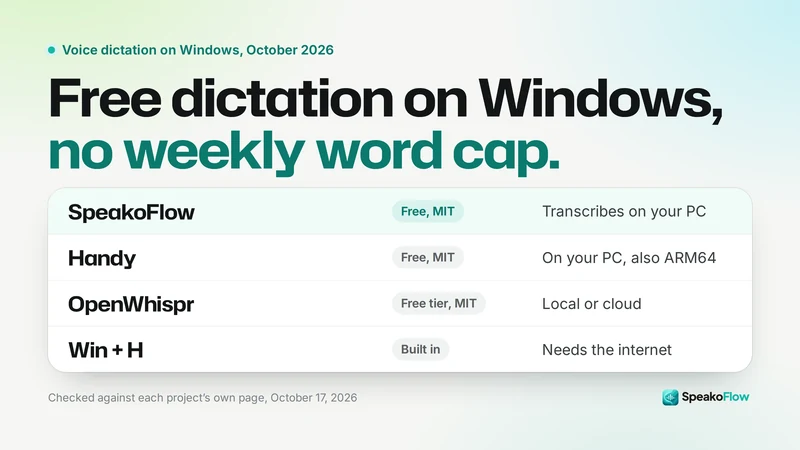
Wispr Flow alternatives for Windows, free and open source
Seven ways to dictate into any app on a Windows PC, what each one costs, and where your speech is transcribed.
Read the post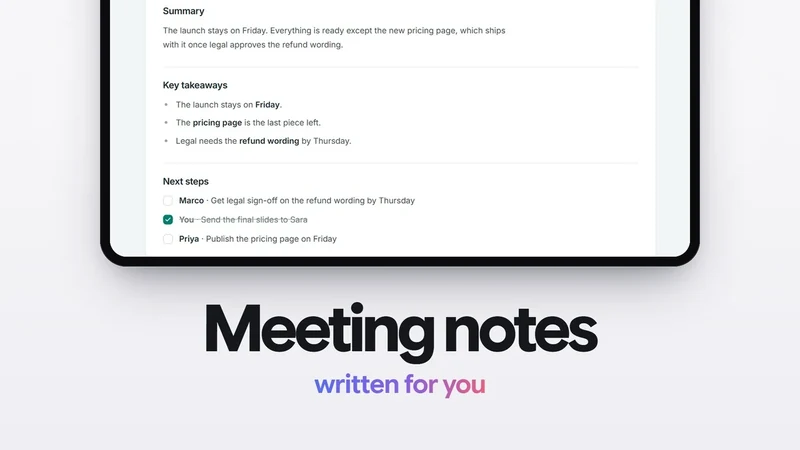
Open-source Granola alternatives: free meeting notes with no bot
Six free apps that write meeting notes from your computer's audio, set against Granola and Wispr Flow's new Notetaker.
Read the post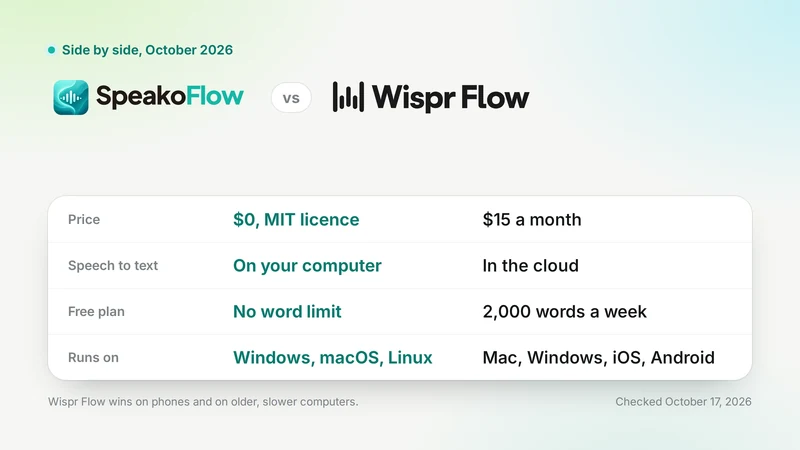
SpeakoFlow vs Wispr Flow: free and local vs $15 a month
Both put your spoken words into any app. They differ on price, on where your speech is transcribed, and on which devices they run.
Read the post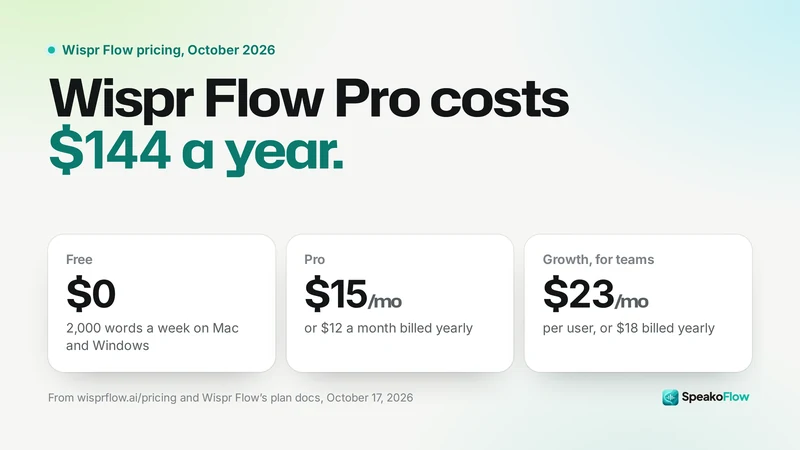
Wispr Flow pricing 2026: is it free, and what does Pro cost?
Every Wispr Flow plan as its own pricing and help pages list it on October 17, 2026, with the free plan's word limits and the one-year and three-year totals worked out.
Read the post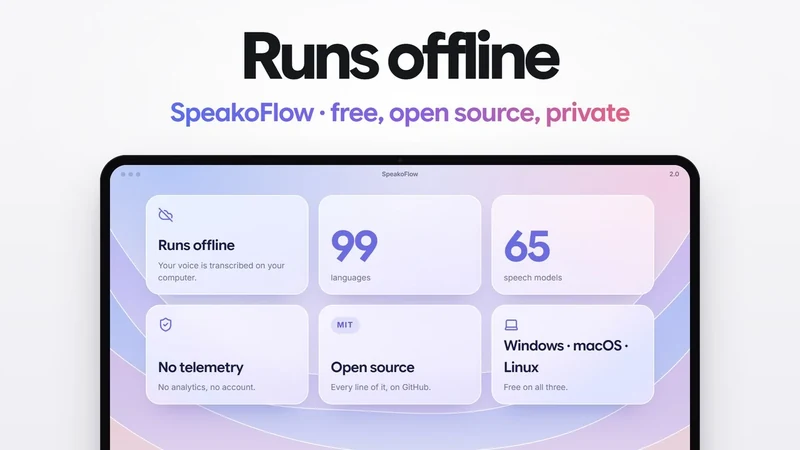
Does Wispr Flow work offline? No. These dictation apps do
Wispr Flow turns your voice into text on its own servers, so with no internet there is nothing to transcribe it. Here is what its docs say, and which apps keep working offline.
Read the post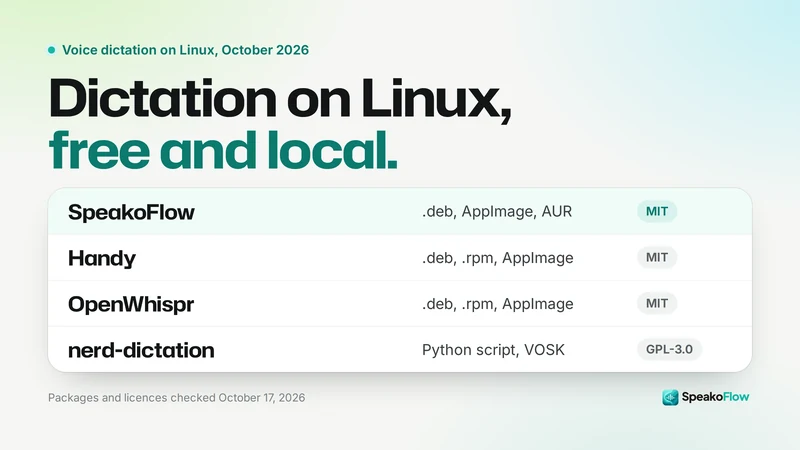
Best dictation software for Linux in 2026: 8 tools that work
Press a key, talk, and the text lands in whatever app you are using. These are the Linux tools that do that today, what each one ships, and how they cope with Wayland.
Read the postGuides and research
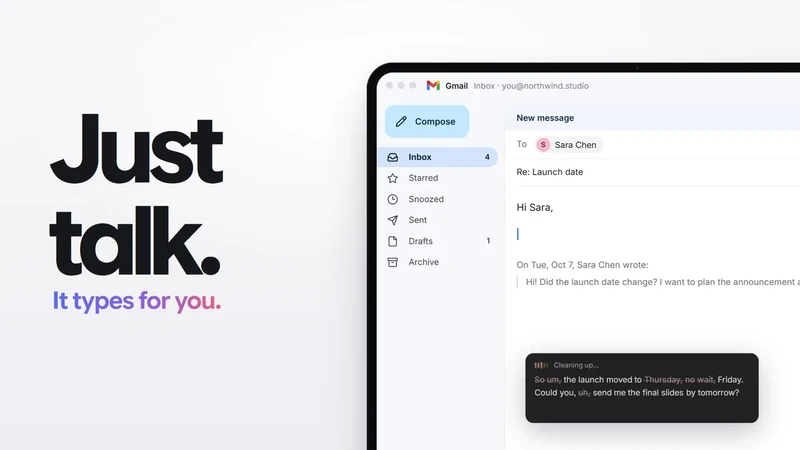
Voice dictation for ChatGPT, Cursor and Claude Code prompts
Every place you prompt has a text box, and a dictation app that types at your cursor works in all of them. Here is how to set one up, with the shortcuts and settings that matter for prompts.
Read the post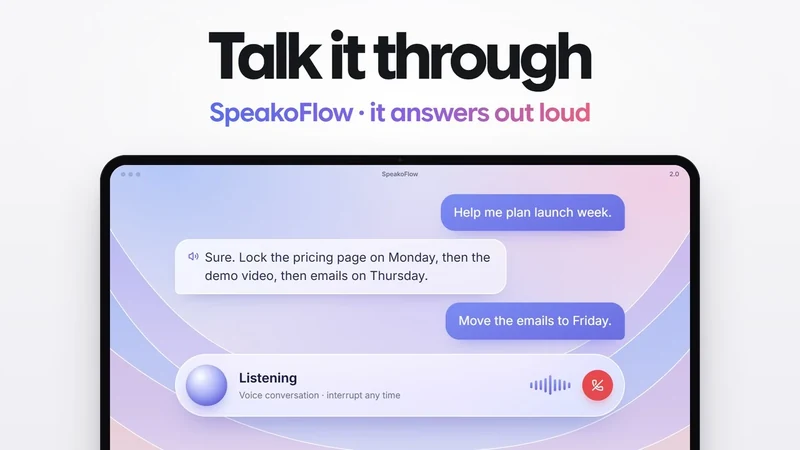
How to get a Jarvis AI on your PC, free and offline
What a voice assistant on Windows, macOS or Linux can really do in October 2026, what it still cannot do, and how to set one up in a few minutes without writing code.
Read the post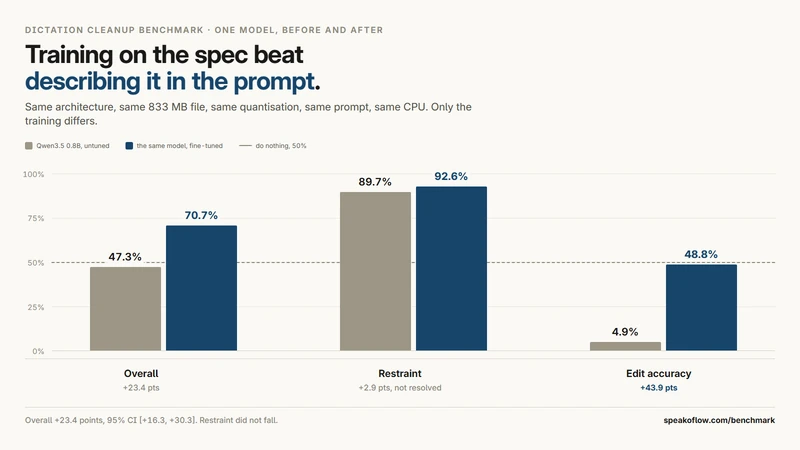
How to clean up dictated text: rules first, then a small model
Deleting the word "um" is a table lookup. Deciding whether "no, Friday" cancels "Thursday" is not. Build those as two stages, in this order, and measure them separately.
Read the post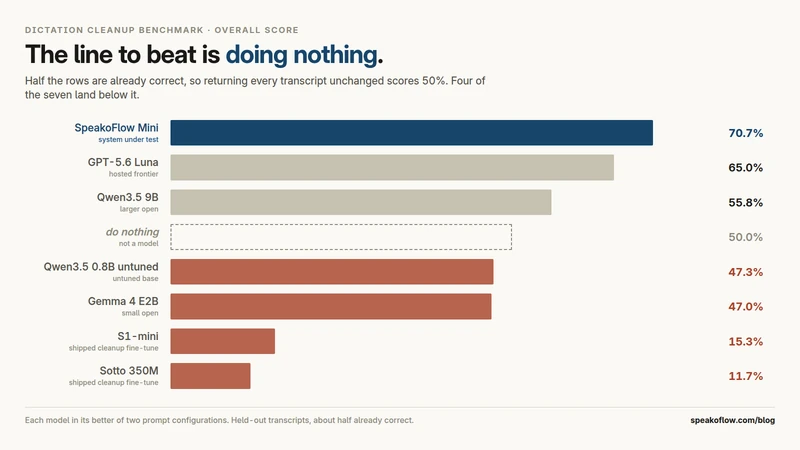
SpeakoFlow Mini: local dictation cleanup that knows when to stop
Half of dictation cleanup is knowing when not to edit, and that half is where every model I tried fell over. So I trained one on the rule instead of prompting for it.
Read the post