Blog Release notes Version 2.0.0

SpeakoFlow 2.0 talks back.

SpeakoFlow 2.0 is out for Windows, macOS, and Linux. Every screen is redesigned, and the assistant now holds a spoken conversation, works on text you select in any app, and writes up your meetings. It is still free, still open source, and still transcribes on your own computer unless you pick a cloud service.

The SpeakoFlow logo with a 2.0 badge, above the line Talk. It types.
Commits since 1.4.0
115
Cloud speech services, plus any OpenAI-compatible server
7
Speech models in the catalog
65
Interface languages, every one complete
20
Price, account, or word cap
0

From the 2.0.0 changelog and the README.

Talk it through, out loud.

Press the conversation shortcut and talk. The assistant answers out loud, and you can talk over it to cut in, the way you would with a person. It is hands-free from start to finish.

Need to type something in the middle? Dictate as usual. The conversation pauses while your text is pasted, then listens again.

  • Esc stops a reply without hanging up.
  • The microphone and the assistant's voice mute separately.
  • A thought with a pause in the middle stays one question.
  • Any past chat in History can continue as a conversation.

Start or end Left CtrlLeft AltC FnCtrlC CtrlAltC

Select text. Say what you want.

Highlight text in any app, hold the ask keys, and say it. The answer streams into a card from the first word.

  • "translate this to Spanish"
  • "write a polite reply"
  • "explain this"
Three quick asks in a row: a selected message is translated into Spanish and replaces the original, a reply is written and inserted at the cursor, and a selected sentence is explained in a card.
Copy it Insert it at the cursor Replace your selection
  • The card opens in the same place every time, on the display under your cursor, and it does not jump while it writes.
  • On Windows the card never takes the keyboard from your app, so Replace and Insert land back in the same field.
  • Screen vision is off by default. When it is on, your selection still counts as the "this" in "what does this mean".

Hold to ask Left CtrlLeft Alt FnCtrl CtrlAltSpace

Record the call. Get the notes. Beta

No bot joins the meeting.

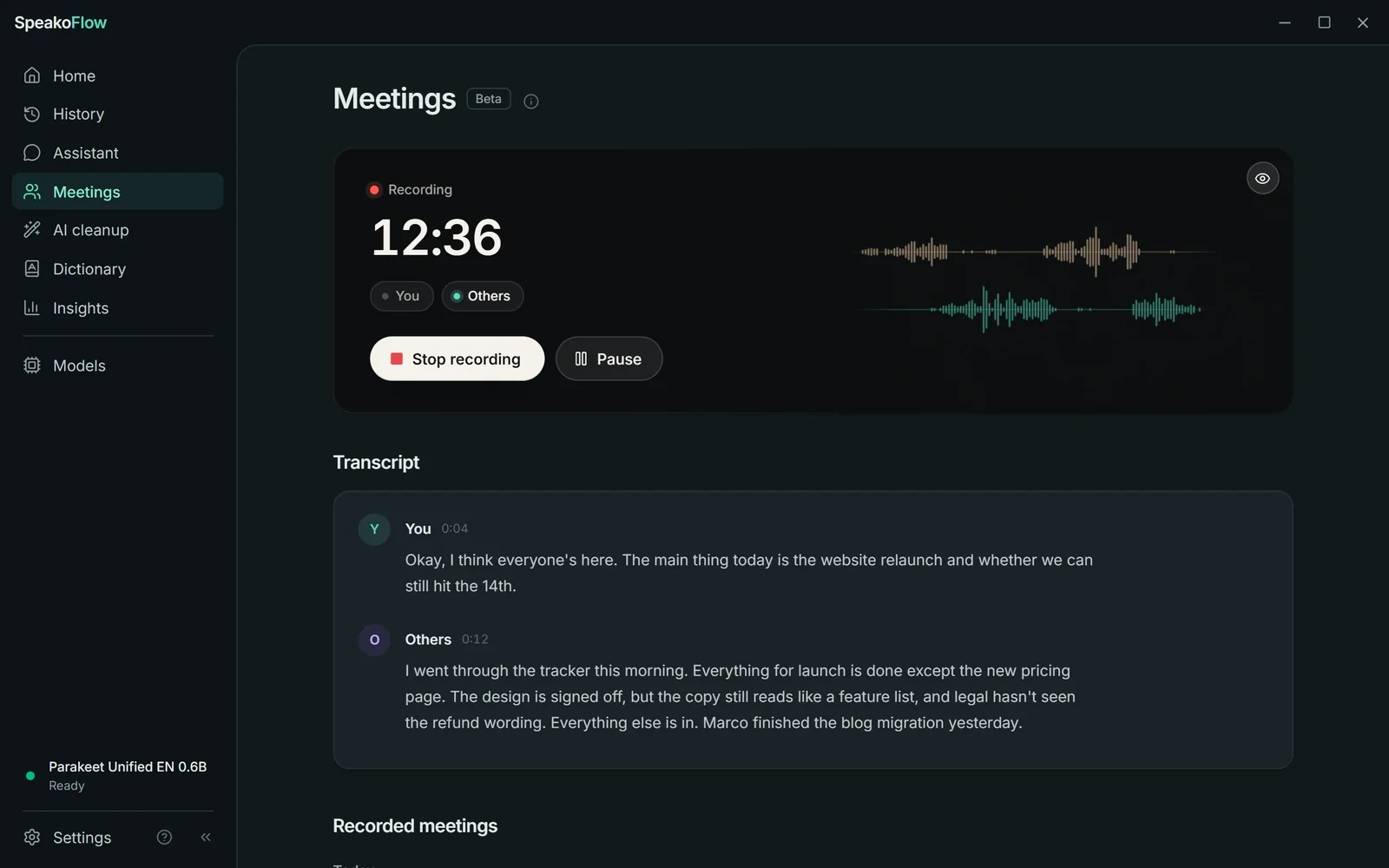
Press Start recording before any call. SpeakoFlow records your microphone and your computer's audio as two separate streams and transcribes both as people speak, so it always knows which words were yours. It works with whatever meeting app you already use.

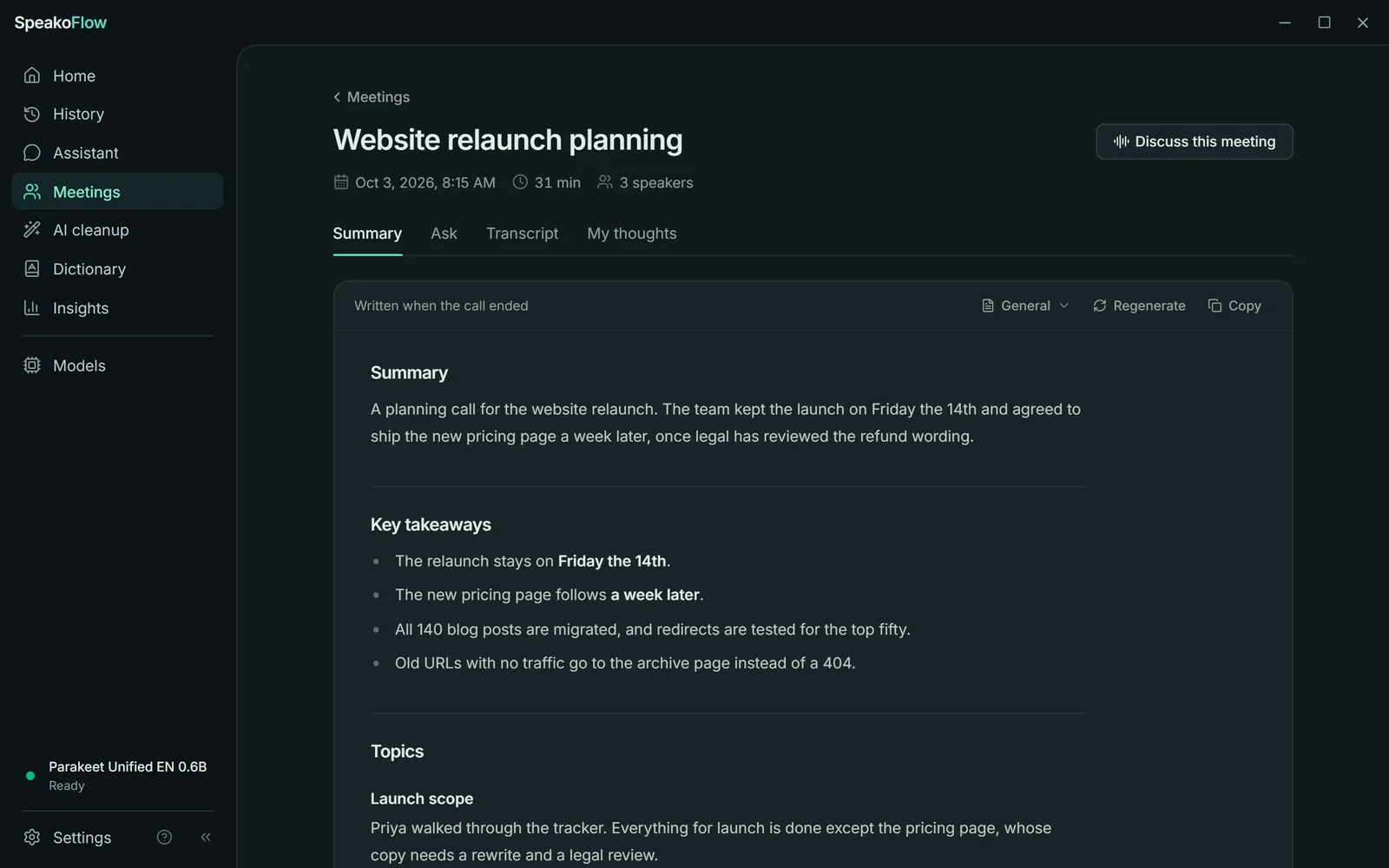
When the call ends, it writes notes from a template you pick: a summary, the decisions, and next steps with owners. Other voices are labelled Speaker 1, Speaker 2, and so on. Later you can ask questions about the meeting, or choose Discuss this meeting and talk it over out loud.

  • General
  • Standup
  • One-on-one
  • Interview
  • Action items
  • Quit in the middle of a call and the recording still finishes. Audio left behind by a crash is recovered on the next launch.
  • On Windows it can offer to record when it notices a call.
  • On macOS, recording the other side of a call needs a virtual audio device such as BlackHole.
A meeting being recorded at 12 minutes 36 seconds, with separate waveforms for You and Others and a live transcript that labels who said what. Notes written after the call, titled Website relaunch planning: a summary, key takeaways, and topics, with tabs for Ask, Transcript, and My thoughts.

Also in 2.0

Cloud transcription, if you want it

Transcribe on a hosted service instead of a local model. ElevenLabs and Deepgram show text while you speak. Local is still the default, and an unfinished cloud setup falls back to the local model instead of failing.

  • ElevenLabs
  • Deepgram
  • OpenAI
  • Groq
  • Mistral
  • Azure AI Speech
  • OpenRouter

Undo a cancelled dictation

Cancelled a recording by accident? The pill offers Undo for a few seconds. A failed transcription offers Try again, and History can recover a dismissed recording later.

Reminders, by voice

"Remind me to send the invoice in twenty minutes." The assistant sets it. Reminders survive a restart, and the popup appears without taking your keyboard.

New voices

Kitten, Pocket TTS, and Supertonic run on your processor, and Kokoro can now too. Nothing extra ships in the installer: the engine downloads with the first voice you pick. ElevenLabs v3 and v4 voices can laugh, whisper, or sigh when a reply calls for it.

  • Kitten
  • Pocket TTS
  • Supertonic
  • Kokoro

Updates that install themselves

From 2.0 on, SpeakoFlow checks for new versions in the background and installs them from Settings, after verifying each one against the project's signing key. You can also send feedback from inside the app, and it sends exactly what the dialog shows.

It learns the words you fix

On Windows, correct a misheard word after it is pasted and SpeakoFlow adds it to your Dictionary. Dictionary words are also sent to cloud services as recognition hints.

Every screen, redrawn.

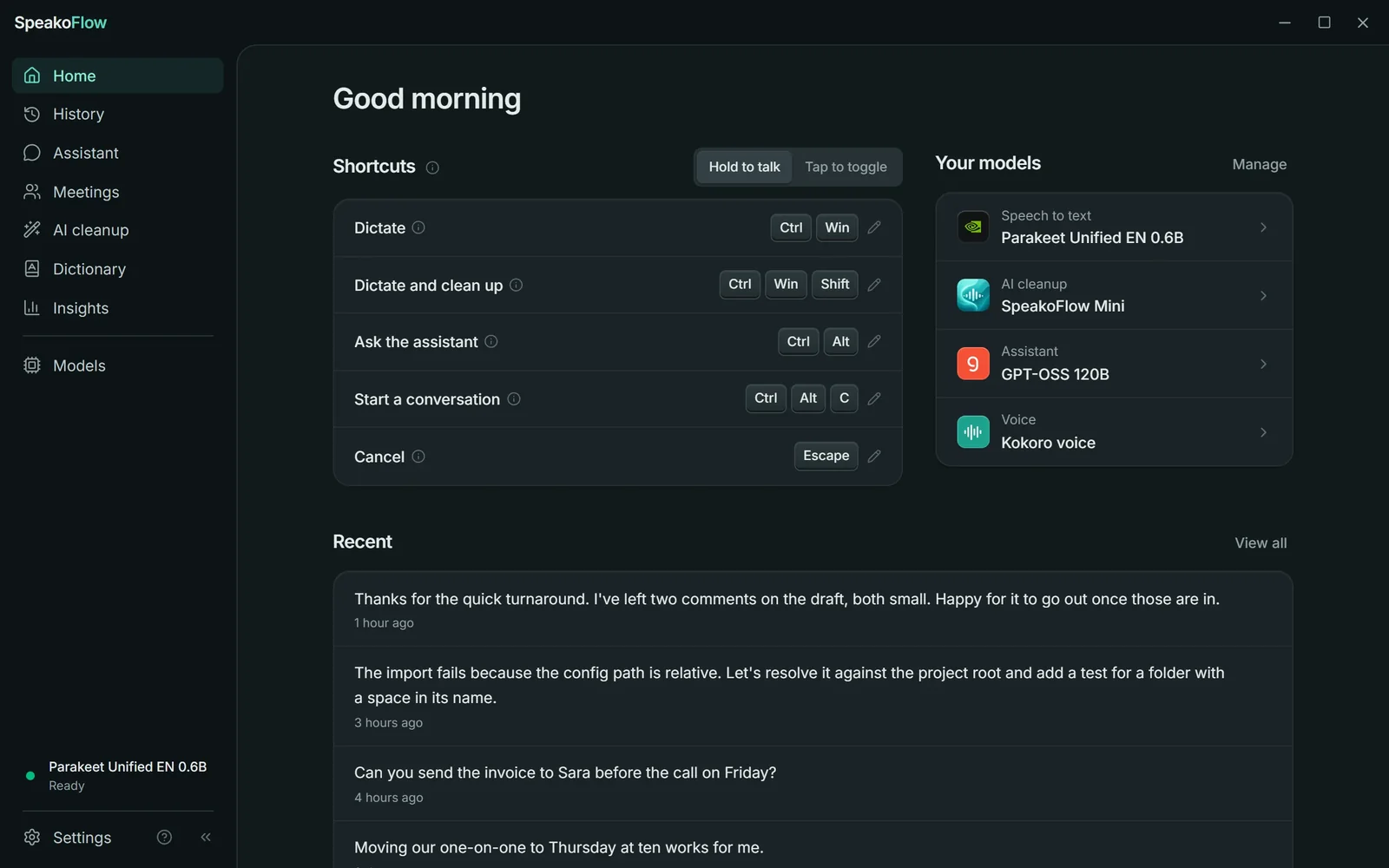
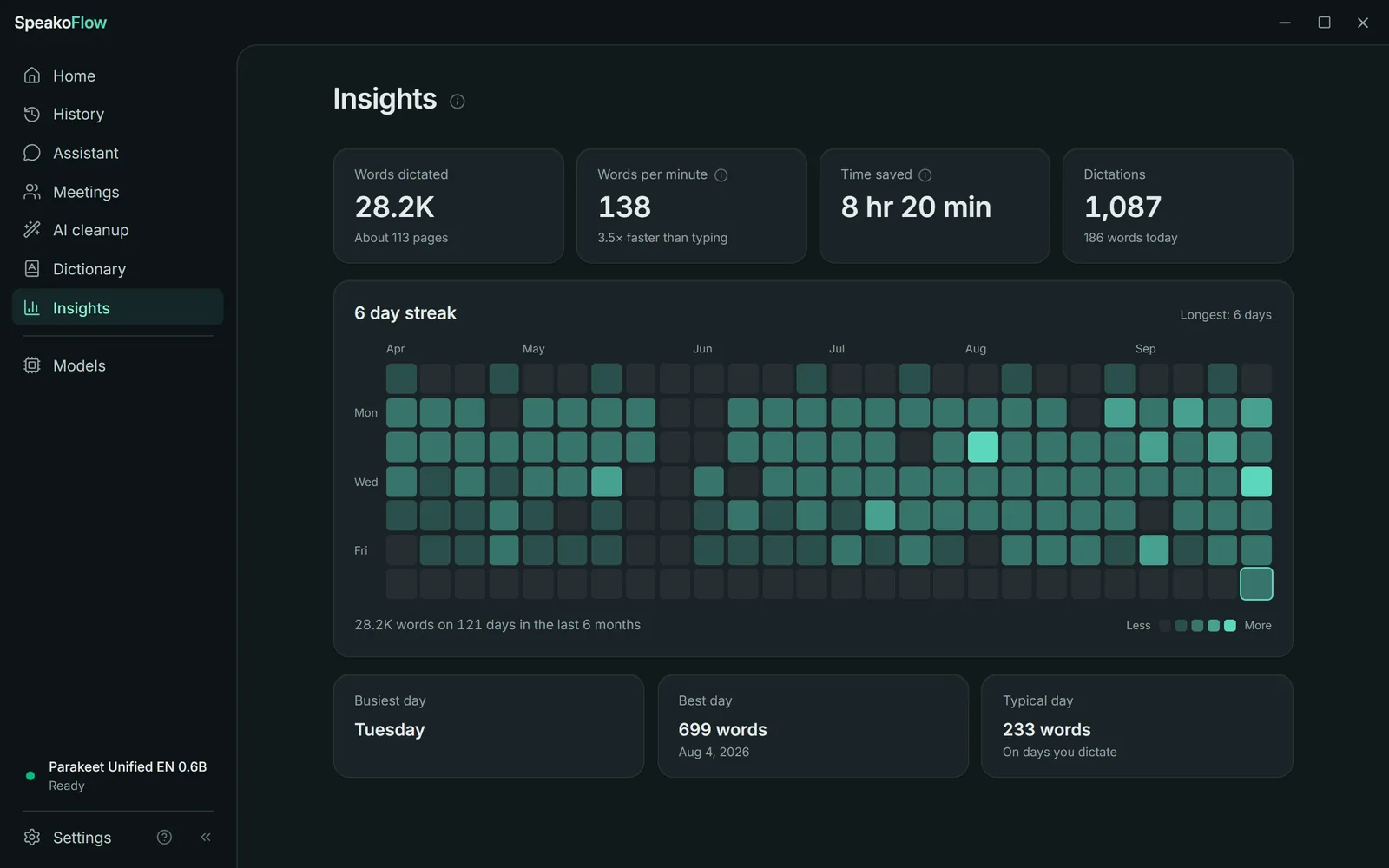
Pages are now the things you do: Home, History, Assistant, Meetings, AI cleanup, Dictionary, and Models. Settings moved into its own dialog. There is a light theme that reads like paper, a quieter dark one, and a new Insights page with words dictated, speaking speed, time saved against typing at 40 words a minute, and six months of activity.

The Home page: every shortcut with its keys, the models doing each job, and recent dictations. The Insights page: 28.2 thousand words dictated, 138 words per minute, time saved, and a six-month activity map.

One shortcut scheme on every platform.

Two keys to dictate, two to ask. Add Shift to dictate and clean up. Add C to start a conversation.

Default SpeakoFlow 2.0 shortcuts on Windows, macOS, and Linux
ActionWindowsmacOSLinux
Dictate Left CtrlLeft Win Fn CtrlSpace
Ask Left CtrlLeft Alt FnCtrl CtrlAltSpace
Conversation Left CtrlLeft AltC FnCtrlC CtrlAltC
Dictate and clean up Left CtrlLeft WinShift FnShift CtrlShiftSpace

Every shortcut can be changed, and the editor tells you which shortcut already uses the keys you pressed. On a Mac, open System Settings, Keyboard, and set "Press the globe key to" to "Do Nothing" first, or Fn also opens the emoji picker. On Linux Wayland, Home lists the command for each action so you can bind it in your desktop's own settings.

What didn't change.

  • Free. No paid plan, no trial, no word cap, no account.
  • Open source. MIT licensed, with every commit public on GitHub.
  • Local by default. Your voice is transcribed on your computer unless you choose a cloud service.
  • Quiet. No telemetry and no analytics.
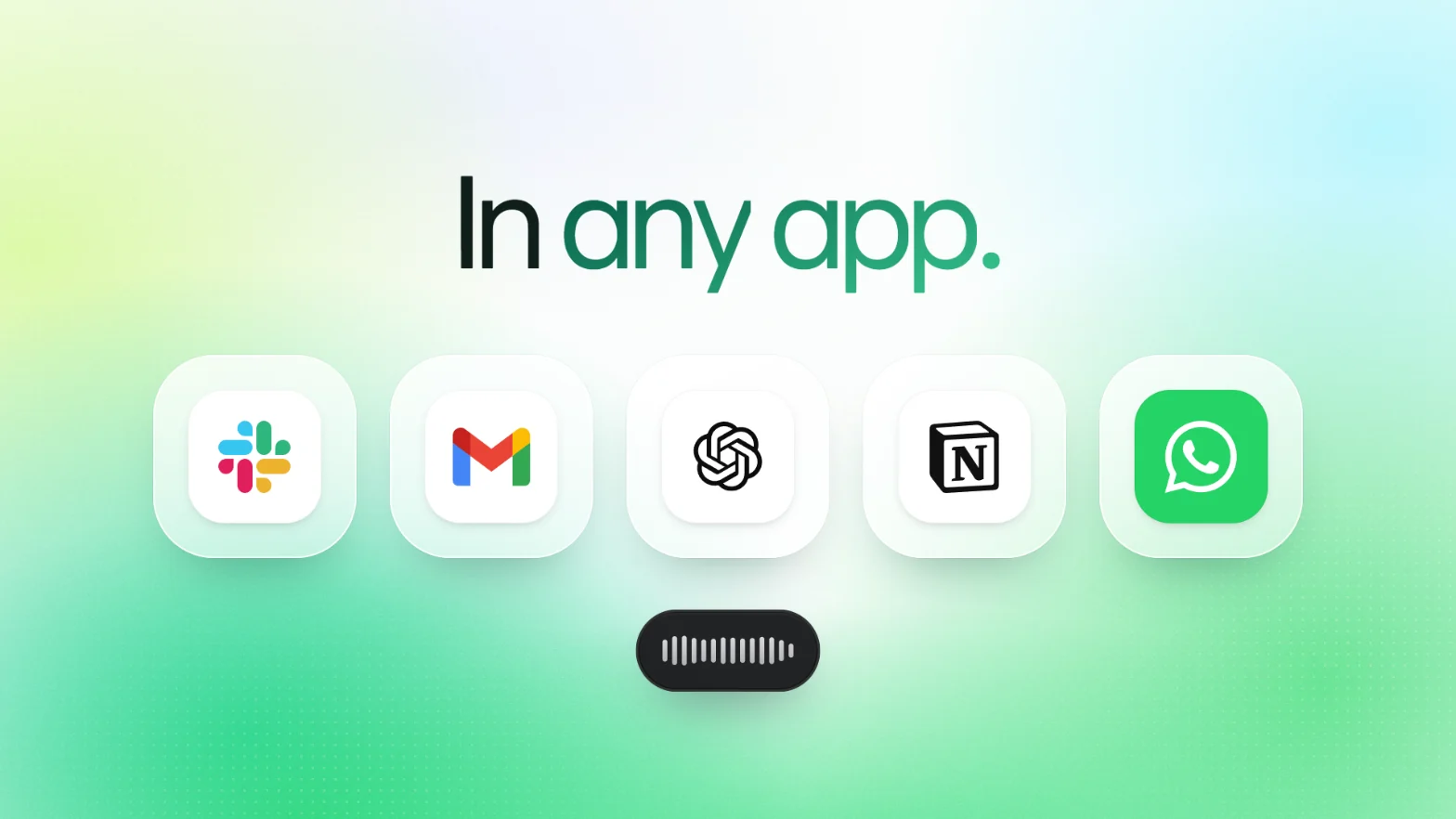
  • Any app. If it takes text, you can dictate into it.
Slack, Gmail, ChatGPT, Notion, and WhatsApp icons above the SpeakoFlow recording pill, under the line In any app. The SpeakoFlow 2.0 logo above the line Free and open source, for Windows, macOS, and Linux.

I built SpeakoFlow while studying alone for exams. I was paying for a dictation app that could hear me but couldn't help me, so I made one that does both.

Abhishek Barali, who builds SpeakoFlow

Get 2.0.

All files, checksums, and update packages are on the v2.0.0 release page. Setup help is in the docs.

Questions about 2.0

Is SpeakoFlow 2.0 free?
Yes. SpeakoFlow is open source under the MIT license. There is no paid plan, no trial, no word cap, and no account.
Will SpeakoFlow 1.4 update to 2.0 by itself?
No. Version 1.4 and earlier cannot update themselves to 2.0. Download 2.0 once and install it over your current version. Your settings, history, models, and API keys are kept, and from 2.0 on, updates install from inside the app.
Does my voice leave my computer?
Not by default. Speech is transcribed by a model on your own computer. Audio is sent to a cloud service only if you choose one, such as ElevenLabs or Deepgram, with your own API key.
Does a bot join my meetings?
No. SpeakoFlow records your microphone and your computer's audio as two streams on your own machine, so it works with any meeting app and nothing joins the call. On macOS, recording the other side needs a virtual audio device such as BlackHole.
Which platforms does SpeakoFlow 2.0 run on?
Windows, macOS on Apple silicon and Intel, and Linux on x86_64 and ARM64 as a .deb package or an AppImage.