Key takeaways
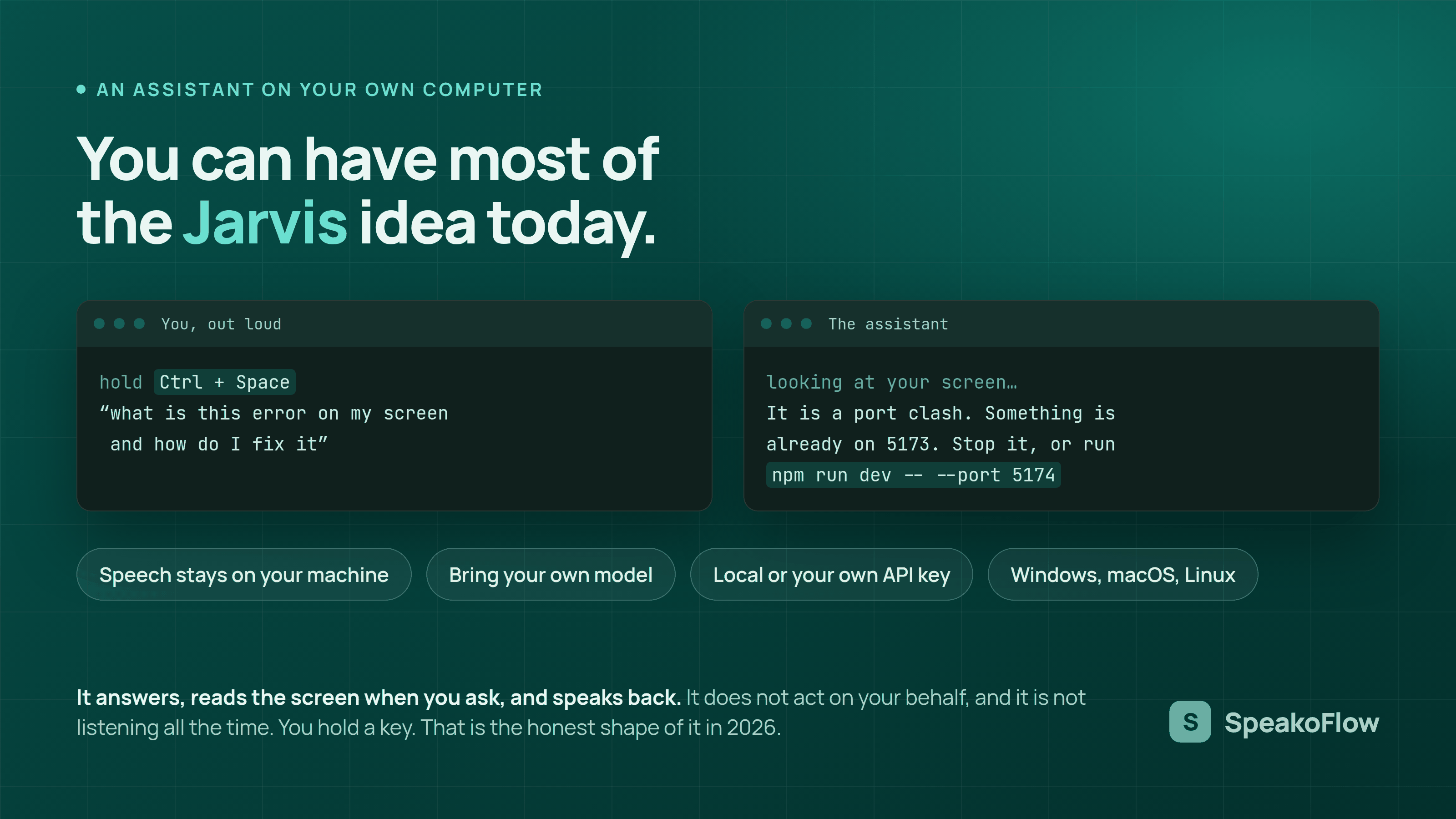
- The useful parts of the idea already work. Speaking instead of typing, getting answers read back, and having something look at your screen when you ask are all possible on ordinary hardware.
- Most open-source attempts are scripts, not apps. They want Python, dependencies, and your own API key before they do anything.
- The best part here is that there is nothing to set up. One installer, open it, hold a key and talk. No terminal, no keys to paste, no config file.
- Speech recognition can run entirely on your machine. That part needs no internet and no account.
- Letting the assistant use tools on your behalf is in testing and has not shipped, so nothing here runs your computer for you yet.
Disclosure: SpeakoFlow is our own project, so treat this as a guide written by someone with a stake in it rather than a neutral review. The section on limits is honest about what it does not do, and the projects mentioned below are real alternatives worth looking at.
On the name: JARVIS is a fictional character owned by Marvel and Disney. SpeakoFlow has no connection to them. The word appears here because it is the phrase people type when they go looking for this kind of software.
If you have ever searched for a Jarvis for your PC, you know how it goes. Ten results, almost all of them GitHub repositories, most of them Python projects that want you to install dependencies and paste in an API key before anything happens. A few have not been touched in a year. None of them are a program you can just download and open.
That gap between the idea and what you can actually install is what this article is about. The good news is that the useful half of the fantasy is genuinely available now. The rest is worth being clear-eyed about.
What people actually want when they ask for this
Nobody typing this into a search box expects a flying suit. From the way the question gets asked, what people usually want is fairly specific:
- Talk to the computer instead of typing, and have the words land wherever the cursor is.
- Ask a question out loud and hear the answer, without opening a browser tab and copying things into it.
- Have it understand what is already on the screen, so you do not have to describe your own error message to it.
- Have it write the reply, the email, or the message, rather than just transcribing what you dictate.
- Keep all of that on your own machine, without a subscription.
That list is achievable today. It is also a very different product from a chat window, which is what most people end up settling for.
Why the GitHub projects disappoint
There are a lot of them, and some are genuinely interesting. isair/jarvis is a local assistant with screen reading and dictation. novik133/jarvis is built in C++ for KDE Plasma. Open.Jarvis is Windows-first with a local routing layer. People put real work into these.
The problem is not quality. It is the distance between a repository and a working program on your desktop. Four things get in the way.
They assume you develop software. Cloning a repository, creating a virtual environment, and resolving dependency conflicts is a normal Tuesday if you write code. If you do not, the first error message is where the project ends.
They need an API key. Many are wrappers around a cloud model, so before the assistant says a word you need an account, a payment method, and a key pasted into a config file. That also means it is not really running on your computer.
They are often demos. A weekend project that proves an idea is a good thing to exist. It is not the same as software someone maintains, tests on three operating systems, and fixes when a new OS release breaks audio capture.
They rarely cross platforms. A lot are Windows-only or Linux-only. Cross-platform desktop audio and global hotkeys are genuinely annoying to get right, so most projects reasonably pick one target and stop there.
So the search results are not bad work. They are just answering a different question than the one being asked.
The four parts that make one actually useful
Strip away the film references and a useful voice assistant on a desktop comes down to four capabilities. Any one of them alone is a toy.
It has to hear you accurately, everywhere
Not in one app. Everywhere. Your editor, your browser, a chat box, a terminal, a form field. If it only works in its own window, you are back to copying and pasting, which is the thing you were trying to escape.
This is the part that runs comfortably offline. SpeakoFlow transcribes locally using whisper.cpp or Parakeet, on your GPU or your CPU, and offers a catalogue of models so you can match one to your hardware rather than needing a fast machine to start.
It has to answer out loud
Reading a reply on screen defeats the purpose if your eyes are already on something else. Spoken answers are what make it feel like a conversation rather than a search box you talk at. SpeakoFlow has a floating panel you open with a hotkey, which streams answers and reads them back, then collapses out of the way.
It has to see what you see, but only when asked
This is the capability that changes how it feels. Being able to say "what is wrong with this" while looking at a terminal, and get an answer about the actual error, removes the entire step of describing your screen in words.
The important part is the consent. SpeakoFlow captures only when you ask it to, sends the capture to the model provider you chose, and keeps just a small thumbnail locally. An assistant that watches continuously is a different product with different tradeoffs, and it is worth knowing which one you have installed.
It has to act, not just transcribe
This is the line between dictation and an assistant. Dictation types what you said. An assistant takes what you said as an instruction.
In SpeakoFlow that is triggered by starting a dictation with "Hey Flow". Instead of transcribing the words, it acts on them: describe the email you want and it writes the finished text and puts it where your cursor is. The trigger phrase can be renamed. Combined with screen reading, it can write a reply based on what is on screen rather than on what you dictated.
Around those four there are the things that make it liveable day to day: translation that turns another language into clean English on device, cleanup that strips filler words and sets a tone, optional web search, profiles with different personas and voices, and an on-device memory that is off until you turn it on and can be edited or erased whenever you like.
Setting one up
This is the part worth saying plainly, because it is the whole difference between this and the search results above. There is one installer. You open it, answer a couple of questions, and it works. No terminal. No keys to paste. No config file to edit. Nothing to keep running in a window behind your work.
Hold a key, talk, and the words appear where your cursor is.
- Download the build for your system from the releases page. There are builds for Windows, macOS, and Linux.
- Pick a transcription model in the setup wizard. Start with a smaller one. You can change it later, and a smaller model on a modest machine feels better than a large one that makes you wait.
- Choose what powers the assistant. A built-in offline model keeps everything on your machine. Your own local server works too. A cloud provider with your own key is the third option, and it is the only one that sends anything off the device.
- Learn two shortcuts. On Windows, hold Left Ctrl and Left Super to dictate, and Left Ctrl with Left Alt to ask the assistant. On macOS it is Option and Space, and Option with Ctrl and Space. On Linux, Ctrl and Space, and Ctrl with Alt and Space. All of them are rebindable.
- Switch to tap mode if holding a key is awkward. In Settings, Recording behavior can be changed from hold to tap, so one press starts and the next press stops. That is the hands-free option.
There is no account and no telemetry, and the whole thing is MIT licensed, so you can read exactly what it does.
What it cannot do, honestly
This is the section most pages like this leave out.
It does not run your computer for you yet. Today it types, writes, translates, answers, and looks at your screen when you ask. It does not open apps and click through them on its own. The part that would let it do that, letting the assistant use tools, is being tested right now and is not in a release yet. When it ships it will be in the release notes, and until then treat anything you read about autonomy here as a plan rather than a feature.
The offline assistant is weaker than a cloud one. That is a real tradeoff, not a detail. A model small enough to run on your laptop will not match a large hosted one. You choose between privacy and capability, and SpeakoFlow lets you make that choice per setup instead of deciding for you.
Accuracy varies a lot by language. The underlying models are strong in English and much weaker in some other languages, particularly ones with less training data. Translating into English tends to work better than producing polished text in a low-resource language.
It is early, and one person maintains it. Things break. The issue tracker is public and is the fastest way to get something looked at.
Where this is going
The work happening now is letting the assistant use tools, so it can do things rather than only answer, and making it feel quicker when it is busy instead of going quiet on you. Both are in testing, not in a release. Watching releases on the repository is the least noisy way to know when that changes.
If all you want is dictation and none of the assistant part, that is a fair choice, and several good free options exist, including the project SpeakoFlow's dictation core is built on.
FAQ
Can you actually get a Jarvis on a normal PC?
You can get the useful parts. Speech recognition, spoken replies, screen reading on request, and typing into any application all work on ordinary hardware. The fictional version that runs a house and never misunderstands anything was a film prop.
Does it need an internet connection?
Speech recognition does not, because it runs on your machine. The assistant depends on what you point it at. An offline model or your own local server needs no connection. A cloud provider does.
Why do most open-source Jarvis projects not work for ordinary users?
Because they are scripts rather than applications. They expect Python, dependency management, an API key, and a terminal. Few ship an installer for all three desktop platforms.
Is SpeakoFlow related to Marvel's JARVIS?
No, and there is no affiliation with Marvel or Disney. The name appears in this article because it is the phrase people search for.
How hard is it to install?
One installer. Download it, open it, answer two setup questions, hold a key and talk. No terminal, no Python, no key to paste, no config file. That is the practical difference between this and the projects on GitHub.
What hardware do you need?
Less than you would expect for transcription, since models come in a range of sizes and the smaller ones run on a CPU without a dedicated graphics card. The assistant is the demanding part, which is why you can choose between a local model and a cloud one.
Try it on your own machine.
Free, open source, and it runs on your computer rather than someone else's, on Windows, macOS, and Linux.
Windows, macOS, and Linux. MIT licensed. No account, no telemetry.