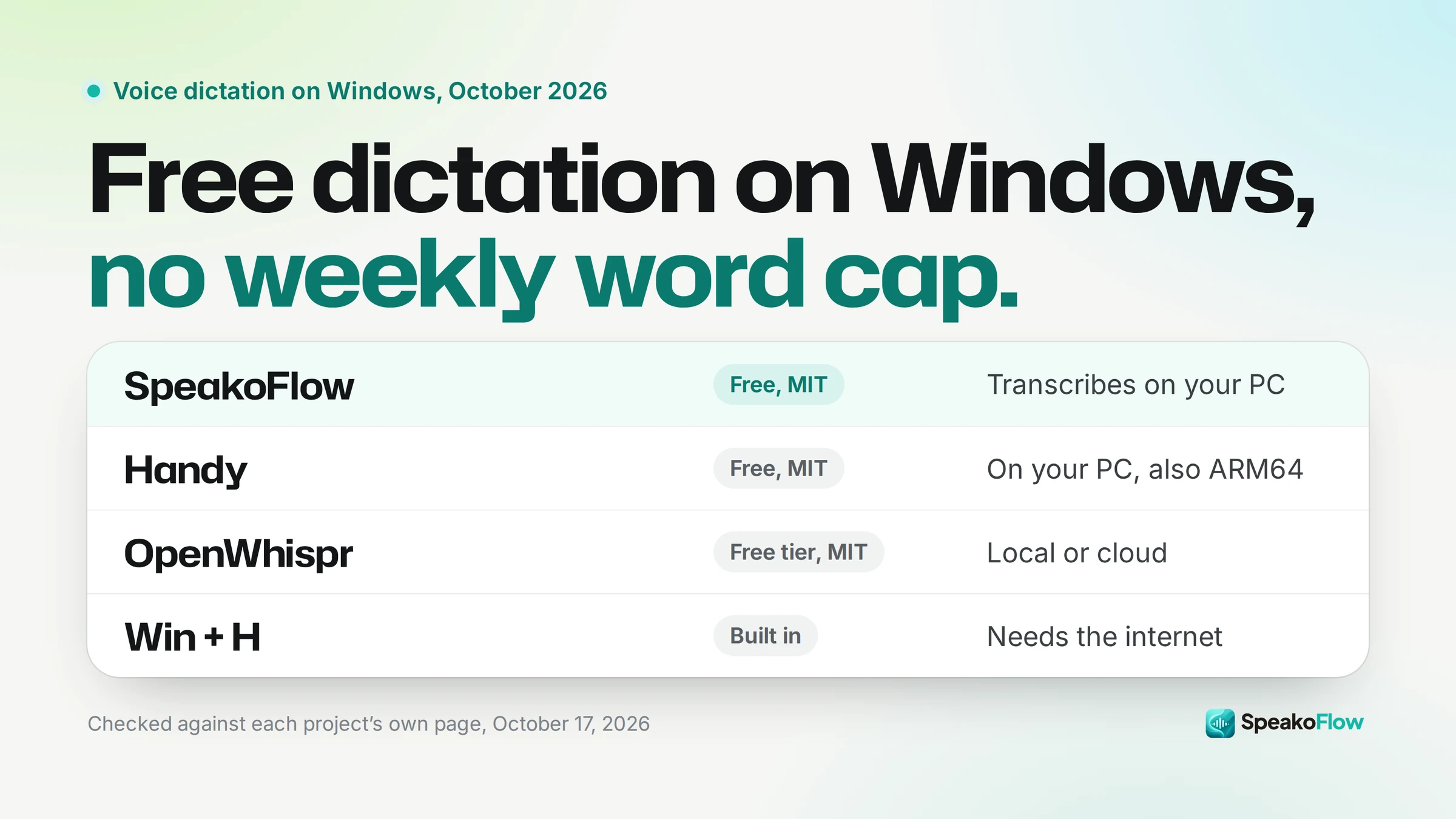
Which free dictation apps run on Windows?
Handy and Amical are the only free, open-source apps here with native ARM64 builds. Every app types into any Windows app.
| App | Price | Open source | Transcribes locally | Windows on ARM | Types into any app |
|---|---|---|---|---|---|
| SpeakoFlow | Free | Yes (MIT) | Yes, by default (cloud optional) | No, x64 only | Yes |
| Handy | Free | Yes (MIT) | Yes | Yes, ARM64 build | Yes |
| OpenWhispr | Free with local models; Pro $80/user/year | Yes (MIT, open-core) | Optional (local or cloud) | Not stated | Yes |
| Amical | Free | Yes (MIT) | Yes (cloud optional) | Yes, arm64 build | Yes |
| VoiceTypr | $69 once for 2 devices, after a 3-day trial | Source only (AGPL-3.0) | Yes, by default | No, x64 only | Yes |
| Superwhisper | Free tier; Pro $8.49/month | No | Yes (Whisper models), cloud on Pro | Yes, ARM64 build | Yes |
| Wispr Flow | 2,000 free words/week; Pro $15/month | No | No, cloud only | No, unsupported | Yes |
Disclosure: I build SpeakoFlow, so this compares our product with others. New post: every price, version and Windows build below was checked on October 17, 2026.
Every app on this page does what Wispr Flow does: press a shortcut, speak, and the text lands in whatever Windows app has your cursor. They differ on price, on whether the code is open, on where your speech is transcribed, and on whether they run natively on ARM laptops such as Snapdragon PCs.
What does Windows already give you for free?
Two tools, and they work differently. Voice typing sends your speech to Microsoft's servers, while Voice access recognizes speech on your PC in a fixed list of languages.
Voice typing (Win+H)
Press Windows key + H in any text box. Microsoft's voice typing page says it "uses online speech recognition, which is powered by Azure Speech services," and that you need to be "connected to the internet."
Voice access
Microsoft describes Voice access as a way to "control their PC and author text using only their voice and without an internet connection." It downloads language files for "on-device speech recognition."
It needs Windows 11, version 22H2 and later, and supports 15 languages and variants: six kinds of English, two of Spanish, two of French, German, Italian, Japanese and two kinds of Chinese.
If you dictate now and then, try Win+H first: it is free and already installed, but online only. Voice access is free and offline on Windows 11 22H2 or later. The apps below add a choice of speech models, one shortcut that works the same everywhere, and control over whether anything goes to the cloud.
1. SpeakoFlow: what do you get beyond dictation?
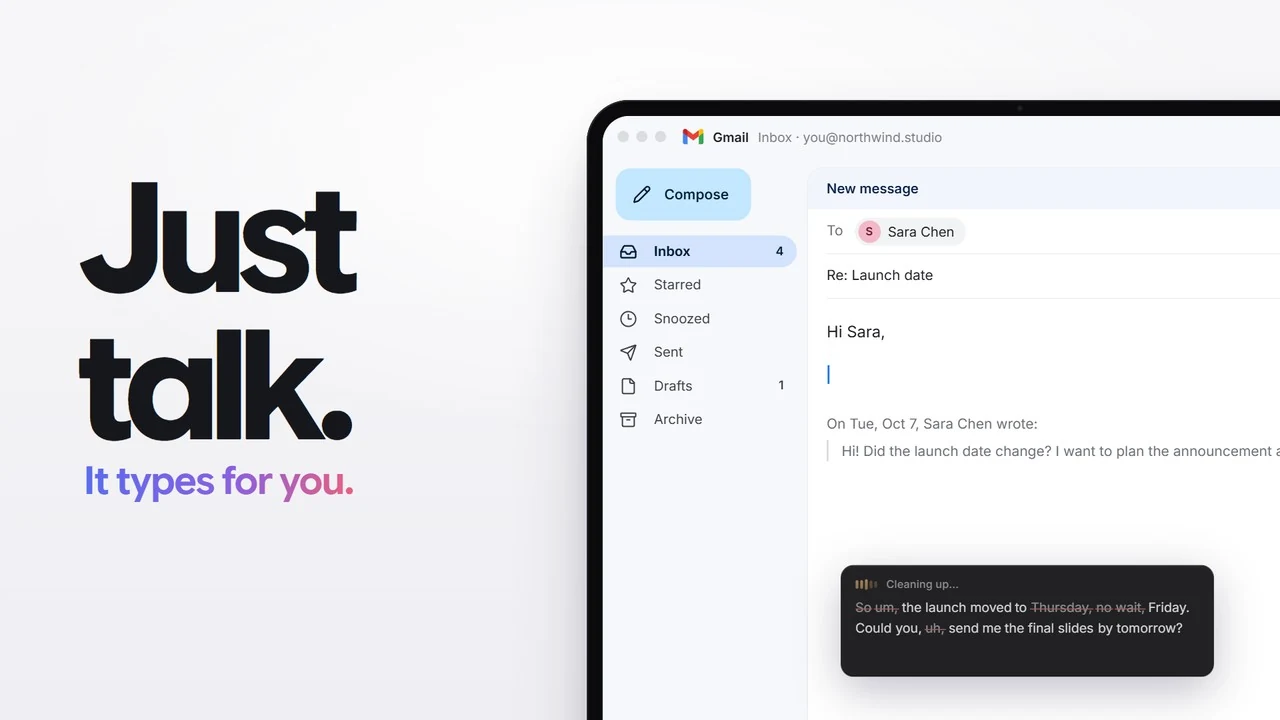
SpeakoFlow is the app I build. It is free and MIT licensed, with no account and no telemetry. Hold Left Ctrl + Left Win, speak, and the text is typed at your cursor in any app.
Speech is transcribed on your PC unless you choose a cloud speech service (ElevenLabs, Deepgram, OpenAI, Groq, Mistral, Azure or OpenRouter). The catalog has 65 speech models: Parakeet is the English default and Whisper covers 99 languages.
Version 2.0.1 came out on October 11, 2026. Beyond dictation, it lets you ask about selected text in any app, talk with the assistant out loud, set reminders by voice, and record meetings without a bot joining the call (Meetings is in beta).
A few things are specific to Windows:
- Two installers:
SpeakoFlow_2.0.1_x64-setup.exefor most people, andSpeakoFlow_2.0.1_x64_en-US.msifor IT teams installing on many PCs. - Learn words I correct is Windows only: it can learn the words you fix, on top of the Dictionary you fill yourself.
- Meetings can offer to record when it notices a call.
- Download. Get the
.exefrom the download page or the GitHub releases. - Get past SmartScreen. The installer is not signed by a known publisher yet, so Windows may warn you. Choose More info, then Run anyway.
- Pick a speech model. First launch asks you to choose one of five and shows a short tour while it downloads.
- Dictate. Click into any text box, hold Left Ctrl + Left Win and speak. You can switch to tap-to-toggle in Settings.
Where SpeakoFlow wins
- Free, MIT, no word cap, works offline
- Assistant, voice conversations and meeting notes in the same app
- Pick from 65 speech models, local or cloud
Where it falls short
- x64 only: no native ARM64 build for Snapdragon PCs
- Young project: 318 stars against Handy's 33,992
- Unsigned installer, so SmartScreen warns
- Desktop only, no phone apps
2. Handy: why is it the safest free pick?
Handy is the most established free option on Windows. It has 33,992 GitHub stars, an MIT license, and its latest release, 0.9.8, came out on October 3, 2026.
Built by CJ Pais, it does one job: "Press a shortcut, speak, and have your words appear in any text field." It works completely offline with Whisper or Parakeet V3 models.
The 0.9.8 release ships native Windows x64 and ARM64 installers (.exe and .msi), and Handy is also on winget. SpeakoFlow's dictation core comes from Handy. If you want dictation and nothing else, Handy is the better choice, and on an ARM laptop it is the clear one.
3. OpenWhispr: is it really free?
The local part is. OpenWhispr is MIT licensed and open-core, with about 9,500 GitHub stars.
Its free plan includes unlimited local models (Parakeet or Whisper) and your own API keys, plus 2,000 words a week of OpenWhispr Cloud and 5 hours a month of meeting recording. Pro is $80 per user per year ($6.67 a month).
It goes wide: dictation, meeting transcription with speaker labels worked out locally, notes and an AI agent. The Windows download is a single Setup .exe, and the release does not say whether it runs natively on ARM.
4. Amical: what makes it different?
Amical formats your words for the app you are in, so a dictated email comes out differently from a chat message or a line in your code editor.
It is MIT licensed and, in its own words, "Open source, private and free." It works offline with local models, and cloud models are optional.
Version 1.12.5 ships Windows x64 and arm64 installers. With 1,558 GitHub stars it is a smaller project than Handy or OpenWhispr.
5. VoiceTypr: open source, but is it free?
No. The source code is AGPL-3.0, but the app you download runs a 3-day trial and then needs a $69 lifetime license for 2 devices.
On Windows it needs Windows 10 (build 19041 or later) or Windows 11, and version 2.0.9 ships an x64 installer only. It transcribes locally with Whisper by default, has optional cloud engines, and includes a command-line tool and an API for agents. Pick it if you would rather pay once than subscribe.
6. Does Superwhisper work on Windows?
Yes. Superwhisper's download page offers Windows x64 and ARM64 builds (version 1.6.8, Windows 10 or later). It is closed source.
The free tier includes "Unlimited use of Whisper models" and 100+ languages, plus a 3,000-word trial of Pro. Pro costs $8.49 a month, $84.99 a year or $249.99 once, and adds cloud models, your own API keys, translation to English and file transcription. Meetings is Mac only.
If you use Superwhisper on a Mac and want the same app on your PC, this is it. If you were looking for a Superwhisper alternative because you want open source, look at Handy, SpeakoFlow or Amical.
7. How does Wispr Flow itself work on Windows?
Well, and in the cloud. Its security FAQ says "Wispr Flow processes dictated audio in the cloud to turn speech into text."
The free plan gives 2,000 words a week on Mac and Windows. Pro is $15 per user per month, or $144 a year. Model training is on by default for Free and Pro users, who can turn it off.
Windows on ARM is out: Wispr's system requirements say that on non-x64 processors, "Flow shows 'Unsupported Windows Architecture' and quits."
Where Wispr Flow wins: it has iOS and Android apps, there is no speech model to download, and because the cloud does the work it suits an old or low-powered PC better than any local app here. The full numbers are in our Wispr Flow pricing breakdown and the SpeakoFlow vs Wispr Flow comparison.
Which one should you pick?
Start from the one thing you cannot give up. For most people leaving Wispr Flow over the word cap, a free local app removes it, because your own PC does the work.
- You want free dictation and nothing else
- Handy. The most established free app, offline, MIT licensed.
- You have a Snapdragon or other ARM laptop
- Handy or Amical. Both have native ARM64 builds. Superwhisper does too, if closed source is fine.
- You want dictation plus an assistant and meeting notes, free
- SpeakoFlow. Ask about selected text, voice conversations and Meetings in one app.
- You want text shaped for each app you write in
- Amical. Formatting depends on the app in front of you.
- You would rather pay once than subscribe
- VoiceTypr. $69 for 2 devices.
- You already use Superwhisper on a Mac
- Superwhisper for Windows. Same app, and one Pro license covers as many devices as you like.
- Your PC is old, or you need dictation on your phone
- Wispr Flow. The cloud does the work, and it has iOS and Android apps.
- You only dictate a few sentences a week
- Win+H or Voice access. Already on your PC.
For the same comparison across macOS and Linux, see our roundup of the best free and open-source Wispr Flow alternatives.
Frequently asked questions
Is there a free Wispr Flow alternative for Windows?
Yes. Handy, SpeakoFlow and Amical are free, MIT licensed and transcribe on your PC with no weekly word limit. OpenWhispr is also free if you use its local models. Windows itself includes voice typing (Win+H, online) and Voice access (on-device, Windows 11 version 22H2 or later).
Which Wispr Flow alternatives run on Windows on ARM?
Handy, Amical and Superwhisper offer native ARM64 Windows downloads. SpeakoFlow and VoiceTypr ship x64 installers only, and Wispr Flow says Windows on ARM and Snapdragon are unsupported.
Does Windows have offline dictation built in?
Yes, Voice access. On Windows 11 version 22H2 and later it downloads language files and recognizes speech on your device, in 15 languages and variants. Voice typing (Win+H) is different: it uses online speech recognition from Azure and needs an internet connection.
Why does Windows warn me when I install SpeakoFlow?
The installer is not signed by a known publisher yet, so SmartScreen may show a notice. Choose More info, then Run anyway. Code signing is on the SpeakoFlow roadmap, and from version 2.0 on, updates install from inside the app.
Is there a Superwhisper alternative for Windows?
Superwhisper now has its own Windows app, with a free tier and Pro at $8.49 a month. If you want open source instead, Handy, SpeakoFlow and Amical are free. If you would rather pay once, VoiceTypr is $69 for 2 devices.
Is a local dictation app slower than Wispr Flow on an old PC?
It can be. A local app runs the speech model on your own processor, so an old or low-powered PC has more work to do. Wispr Flow transcribes in the cloud, which is its real advantage on that kind of hardware.
Try SpeakoFlow on Windows
Free dictation, an assistant and meeting notes. Your speech is transcribed on your PC unless you pick a cloud service.
Windows (x64), macOS, and Linux. MIT licensed. No account, no telemetry.