How much does Wispr Flow cost in 2026?
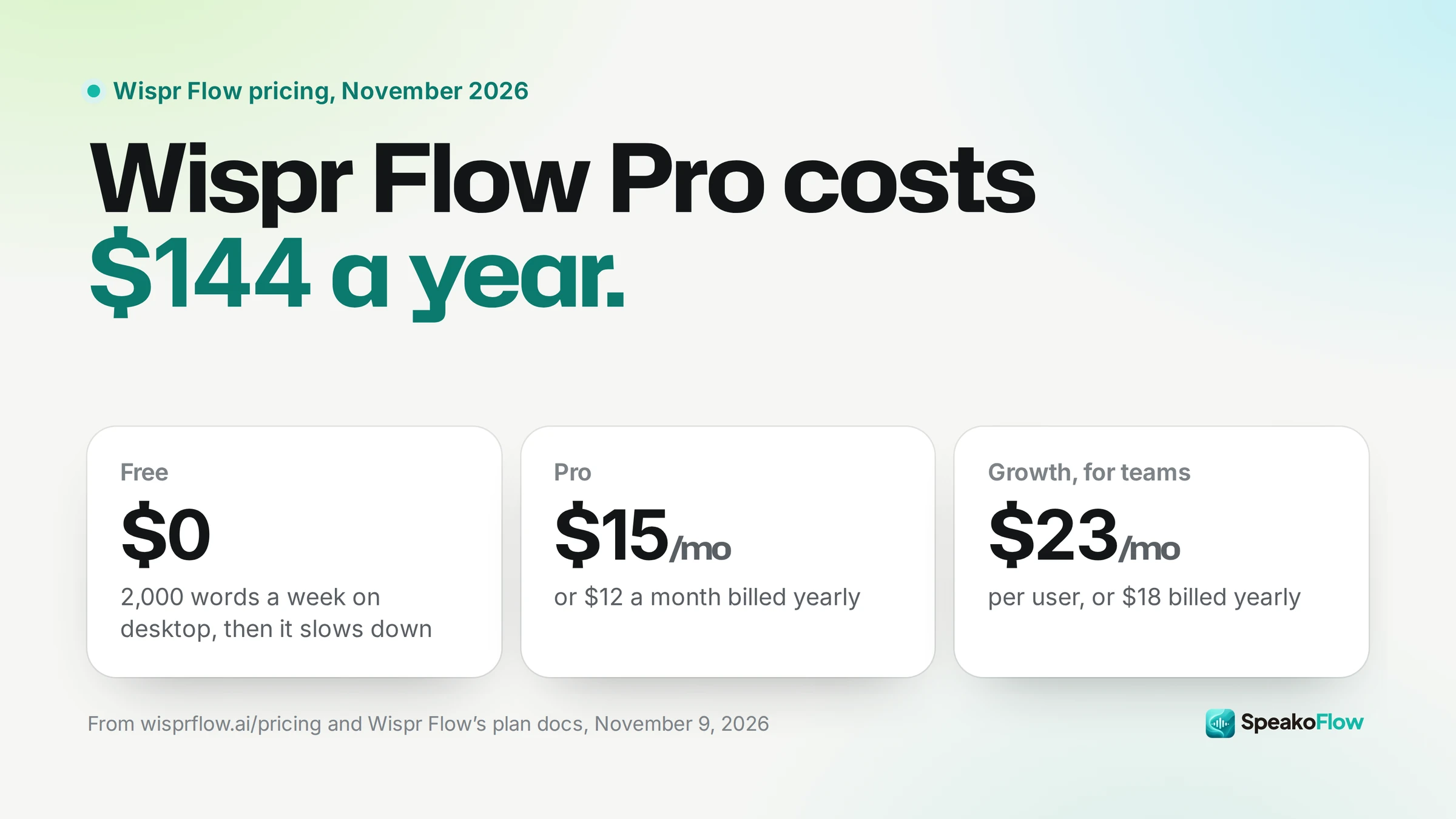
Wispr Flow has five plans: Free at $0, Pro at $15 per user per month, two Growth plans at $23 and $33 per user per month, and Enterprise at a custom price. Paying annually saves 20% on Pro.
| Plan | Who it is for | Billed monthly | Billed annually |
|---|---|---|---|
| Free | Individuals | $0 | $0 |
| Pro | Individuals and teams | $15 per user a month | $144 per user a year ($12 a month) |
| Growth, dictation only | Teams | $23 per user a month | $216 per user a year ($18 a month) |
| Growth with Notetaker | Teams | $33 per user a month | $312 per user a year ($26 a month) |
| Enterprise | Organizations needing advanced security | No, new agreements are annual | Custom, through sales |
Three-year cost for one seat
Subscription fees only, US list prices, annual billing unless noted. Prices from Wispr Flow's pricing, plans and students pages on November 9, 2026.
Bars are scaled to the most expensive row. The student total counts three years of billing and leaves out the 3 free months.
These are US card list prices from Wispr Flow's pricing page and its plans help article. The help article says each of its 24 currencies has its own fixed prices, so you may see different numbers outside the US.
Pro adds unlimited dictation, unlimited Notetaker history, a shared dictionary and snippets, centralized billing, team usage analytics and priority support. On iPhone, Pro is also sold monthly, annually or weekly through the App Store. Growth adds SAML single sign-on, individual usage reports and organization-wide privacy and HIPAA controls; the $23 plan leaves out the Notetaker. Enterprise adds SCIM provisioning, managed deployment and invoice billing, and new Enterprise agreements are annual.
One offer runs until November 30, 2026: teams that choose Growth's dictation-only plan can turn on the Notetaker with full access at no extra cost. After that, the pricing page says, members move to a limited Notetaker plan and the price does not rise on its own.
Is Wispr Flow free, and how many words is the free plan?
Yes. The Free plan is permanent, not a trial, and the pricing page says you never need a credit card to start. What it limits is how many words you dictate each week.
| Platform | Weekly limit (vendor's wording) | Resets |
|---|---|---|
| Mac and Windows | "2,000-word allowance; 5,000-word maximum." | Sunday, 12 a.m. PT |
| iOS and Android | "Limited weekly dictation, pooled across mobile." | Sunday, 23:45 UTC |
The allowance and the maximum are two different limits. Wispr Flow explains it this way: "At the allowance, Flow slows down until the weekly reset; at the hard cap, dictation is blocked until the reset or until you upgrade." It also says limits apply "at your next press, never during an accepted dictation", so a dictation is not cut off halfway.
Phones are the part that changed since our October check. The plans article used to give 1,000 words a week across iPhone and Android, with a 1,500-word maximum. It now gives no number, says your mobile limits "can differ from other accounts and change without an app update", and points you to the app, which shows your current limit and the words you have left.
Spread over five working days, 2,000 words is about 400 words a day: a long email and a few chat replies. If you dictate most of what you write, you will reach it early in the week.
The free plan keeps most features. Its pricing page lists 100+ languages, a dictionary that learns names and jargon, snippets, and limited Notetaker access with a weekly meeting limit; recordings under five minutes do not count toward it. The Notetaker runs on Mac and Windows.
Wispr Flow's free plan is limited mainly by volume, not features. On a computer you get a 2,000-word weekly allowance and a 5,000-word weekly maximum. On phones there is one weekly limit shared across all your mobile devices, and the app shows how much is left.
How long is the free trial, and is there a student discount?
A standard Pro trial lasts 14 days. The plans help article says "referral trials last 30 days and student trials 90 days where applicable", and unpaid users get a three-day grace period before the account returns to Free.
Students get 50% off Pro and educators 40%, according to the pricing page. The students page lists Flow Pro for Students at $6 a month billed annually, after 3 free months for students new to Pro. That is $72 a year once billing starts.
Students without a .edu address can verify with a student ID or enrollment proof through a form on the students page. Nonprofits get "a discounted rate", but Wispr Flow does not say how much.
What does Wispr Flow cost over one year and three years?
One seat of Pro costs $144 a year on annual billing or $180 paying monthly, and $432 or $540 over three years. Wispr Flow does not publish these totals, so the table shows the multiplication behind each one.
| Plan and billing | 1 year | 3 years |
|---|---|---|
| Pro, annual | $144 | $144 x 3 = $432 |
| Pro, monthly | $15 x 12 = $180 | $180 x 3 = $540 |
| Pro, student (annual) | $6 x 12 = $72 | $72 x 3 = $216 |
| Growth, dictation only, annual | $216 | $216 x 3 = $648 |
| Growth, dictation only, monthly | $23 x 12 = $276 | $276 x 3 = $828 |
| Growth with Notetaker, annual | $312 | $312 x 3 = $936 |
| Growth with Notetaker, monthly | $33 x 12 = $396 | $396 x 3 = $1,188 |
| SpeakoFlow | $0 | $0 |
Annual billing saves $36 a year on Pro ($180 minus $144). A five-person team on annual Pro pays $144 x 5 = $720 a year, before tax.
SpeakoFlow charges nothing. If you connect it to a cloud speech service or a cloud AI model, you pay that provider directly with your own API key; run it fully local and it stays at $0.
When is Wispr Flow worth paying for?
Wispr Flow is worth paying for when you need dictation on your phone, on an older or low-powered computer, or across a managed team. Those are the places where it does things free local tools cannot.
- Old or low-powered hardware. Wispr Flow processes dictated audio in the cloud, so your processor does not do the transcribing and there is no model to download. Its requirements are modest: macOS 12 or Windows 10 on x64, with 8 GB of RAM recommended.
- Phones. It has iPhone and Android apps. SpeakoFlow and Handy are desktop only.
- No setup. You install it and talk. There is no speech model to pick.
- Teams and compliance. Growth and Enterprise add single sign-on, admin controls and a HIPAA-ready agreement, and the pricing page says the company is "SOC 2 Type II and ISO 27001 certified".
The trade is where your voice goes. The same security and privacy overview says model training is on by default for Free and Pro (you can turn it off) and that Wispr Flow stores customer data in the United States. The plans article says training is always off on Growth and Enterprise. Dictation also needs an internet connection; our post on whether Wispr Flow works offline covers that in detail.
What are the free alternatives to Wispr Flow?
The main free alternatives with no word limit are SpeakoFlow and Handy. Both are open source under MIT, run on Windows, macOS and Linux, and transcribe on your own computer, which is why there is no weekly cap.
| App | Price | Word limit | Platforms | Where speech is transcribed |
|---|---|---|---|---|
| SpeakoFlow | $0, MIT | None | Windows, macOS, Linux | Your computer, unless you choose a cloud service |
| Handy | $0, MIT | None | Windows, macOS, Linux | Your computer |
| Wispr Flow Free | $0, closed source | 2,000 a week on desktop | Mac, Windows, iOS, Android | Wispr Flow's servers |
Handy is the most established of the two, with 38,100 GitHub stars, and it sticks to dictation (version 0.10.0 added transcribing audio files). SpeakoFlow (393 stars, version 2.2.0) adds voice conversations, Ask on selected text and meeting notes with no bot. It also has optional cloud speech services such as ElevenLabs, Deepgram and OpenAI if you want them.
The costs of the free route are real. You download a speech model, your computer has to run it, there is no phone app, and SpeakoFlow's builds are not code signed yet, so Windows shows a SmartScreen warning and macOS needs one Terminal command on first install. SpeakoFlow is also maintained by one person.
For the full list, including Mac-only tools and paid apps with free tiers, see the best free and open-source Wispr Flow alternatives. On Windows specifically, read Wispr Flow alternatives for Windows.
- You dictate under 2,000 words a week
- Wispr Flow Free. It costs nothing and needs no setup.
- You dictate all day on a recent laptop or desktop
- SpeakoFlow or Handy. No weekly limit, and the three-year cost stays $0 instead of $432.
- Your computer is old or low-powered
- Wispr Flow Pro. Cloud transcription is worth paying for when local models run slowly.
- You need dictation on your phone
- Wispr Flow. SpeakoFlow and Handy have no mobile app.
Frequently asked questions
Is Wispr Flow free?
Yes. Wispr Flow has a permanent Free plan at $0 that needs no credit card. It limits how much you dictate each week: on Mac and Windows, dictation slows down after 2,000 words and stops at 5,000, and iPhone and Android share a separate limit that Wispr Flow no longer publishes. Pro removes the limit for $15 per user per month, or $144 per user per year.
How many words is the Wispr Flow free plan?
Wispr Flow's help center lists Mac and Windows as a "2,000-word allowance; 5,000-word maximum" per week, resetting Sunday at 12 a.m. PT. For iPhone and Android it now says only "Limited weekly dictation, pooled across mobile", and that mobile limits can differ between accounts. In its words: "At the allowance, Flow slows down until the weekly reset; at the hard cap, dictation is blocked until the reset or until you upgrade."
How much does Wispr Flow Pro cost per year?
Pro is $144 per user per year on annual billing, which works out to $12 a month. Paying monthly at $15 a month comes to $180 a year. Over three years that is $432 on annual billing and $540 on monthly billing.
Does Wispr Flow have a student discount?
Yes. Students get 50% off Pro and educators 40%. The students page lists Flow Pro for Students at $6 a month billed annually, after 3 free months of Pro for students new to Pro. That is $72 a year once billing starts.
Can I cancel Wispr Flow at any time?
Yes. Wispr Flow's pricing page says there are no commitments and you can cancel anytime from Settings, Plan and Billing in the desktop app. If a paid plan ends, your account returns to Free.
Is there a free Wispr Flow alternative with no word limit?
Yes. SpeakoFlow and Handy are free, MIT licensed, run on Windows, macOS and Linux, and have no word limit because speech is transcribed on your own computer. SpeakoFlow also has an assistant and meeting notes. Neither has a phone app, and both need a computer that can run a speech model.
Disclosure: I build SpeakoFlow, a free alternative mentioned above. November update: rechecked every price on November 9, 2026. Prices are unchanged; Wispr Flow no longer publishes a phone word limit, educators now get 40% off rather than 50%, and the Notetaker offer for Growth teams is noted.
Dictate as much as you like, for $0
No word limit, no account and no subscription. Speech is transcribed on your own computer unless you choose a cloud service, so heavy use costs nothing extra.
Windows, macOS and Linux. MIT licensed. No account, no telemetry.