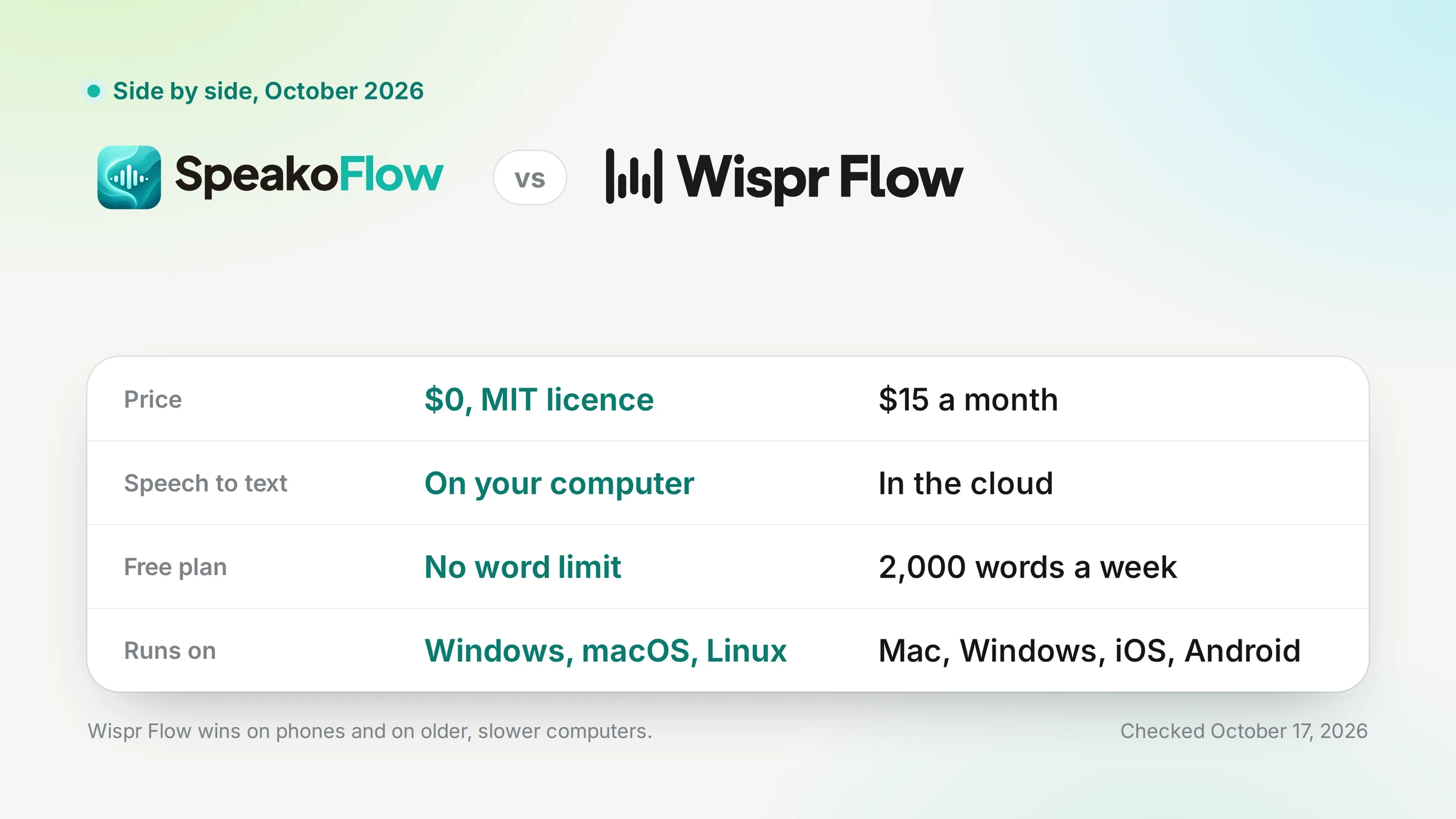
How do SpeakoFlow and Wispr Flow compare?
SpeakoFlow is free, open source and local by default. Wispr Flow is a paid, closed-source cloud service with phone apps. Every Wispr Flow figure in this post links to Wispr Flow's own pricing page or help center.
| SpeakoFlow | Wispr Flow | |
|---|---|---|
| Price | Free (MIT license) | Pro: $15/month or $144/year |
| Free limit | No word cap | 2,000 words/week on desktop, 1,000 on mobile |
| Platforms | Windows, macOS, Linux. No phone apps | Mac, Windows, iOS, Android. No Linux listed |
| Where speech is transcribed | On your computer by default; optional cloud services | In the cloud |
| Works offline | Yes | No |
| Open source | Yes (MIT) | No |
| Account | None | Required |
| Meeting notes | Meetings, free, no bot | Growth with Notetaker, $33/user/month |
| Model training default | No telemetry, nothing collected for training | On by default for Free and Pro, can be turned off |
| Data location | Your computer, unless you pick a cloud provider | Wispr's servers in the United States |
Disclosure: I build SpeakoFlow, so this compares our product with a competitor. October update: every Wispr Flow figure rechecked on 17 October 2026, plus new rows for meeting notes, model training and data location, and the features SpeakoFlow 2.0 added.
Where is Wispr Flow better, and where is SpeakoFlow?
Wispr Flow wins on phones, setup, old hardware, team admin and polish. SpeakoFlow wins on cost, privacy, offline use, Linux and what it does beyond dictation.
Where SpeakoFlow wins
- Free, no word cap, no account
- Speech transcribed on your computer by default, and the code is open
- Works with no internet
- Runs on Linux as well as Windows and macOS
- Voice conversations, Ask on selected text, Generate with Flow and reminders
- Free meeting notes with no bot
- Pick your own model, local or with your own API key
Where Wispr Flow wins
- iPhone and Android apps; SpeakoFlow is desktop only
- Zero setup: no model to choose or download
- Better on old or low-powered hardware, because transcription happens in the cloud
- Team admin: SAML SSO, usage reporting and member admin on Growth; SCIM and managed deployment on Enterprise
- SOC 2 Type II report and ISO 27001 certificate in its Trust Center
- A more polished product with priority support on Pro, not GitHub issues
How much do SpeakoFlow and Wispr Flow cost?
SpeakoFlow costs nothing, with no word cap and no trial. Wispr Flow Pro is $15 per user a month, or $144 a year ($12 a month).
Wispr Flow's free plan allows 2,000 words a week on Mac and Windows. Past that, Flow slows down until the weekly reset, and at 5,000 words dictation stops. Phones share a separate 1,000 words a week.
Students and educators with an education email get 50% off Pro, and new users get a 14-day Pro trial. The full Wispr Flow pricing breakdown covers the team plans.
Three-year cost for one person
License and subscription fees only. Wispr Flow prices from its plans page, 17 October 2026.
monthly $540
annual $432
$15 × 36 months = $540; $144 × 3 years = $432. If you connect SpeakoFlow to a cloud speech or AI provider, you pay that provider directly at its own rates. Fully local, it stays at $0.
Where does your speech go?
With Wispr Flow, to Wispr's servers. Its own security overview says it "processes dictated audio in the cloud" and stores customer data in the United States.
Wispr Flow encrypts data in transit and at rest, but says it is not end-to-end encrypted, because the service has to process your audio. A setting called Improve the model for everyone is on by default for Free and Pro. You can turn it off, and it is always off on Growth and Enterprise.
With SpeakoFlow, speech is transcribed on your computer unless you choose a cloud speech service. Version 2.0 added optional ElevenLabs, Deepgram, OpenAI, Groq, Mistral, Azure AI Speech and OpenRouter, and 2.1.0 added Amazon Transcribe.
SpeakoFlow has no telemetry, no analytics and no account. If you use a cloud AI provider for the assistant or meeting notes, your questions and transcripts go to that provider. The code is open, so you can check all of this yourself.
If your rule is "my audio does not leave this machine", only SpeakoFlow can meet it, and only while you keep its default local speech model.
Which one works offline, and on which devices?
Only SpeakoFlow works offline. Wispr Flow needs internet for every dictation; on Android, offline, it shows "No internet. Try again later."
SpeakoFlow's local speech models and its built-in AI model run without a connection, so dictation and the assistant work on a plane. More on that in does Wispr Flow work offline.
- Wispr Flow: Mac, Windows, iPhone and Android. No Linux version is listed.
- SpeakoFlow: Windows, macOS (Apple silicon and Intel) and Linux (x64 and ARM64, as .deb, AppImage or the AUR). No phone apps.
If you use Linux, see the best dictation software for Linux. If you dictate mostly on your phone, Wispr Flow is the one that works there.
Which one is better for meeting notes?
SpeakoFlow Meetings is free and needs no bot in the call. Wispr Flow lists its meeting Notetaker under the Growth with Notetaker plan, at $33 per user a month or $312 a year.
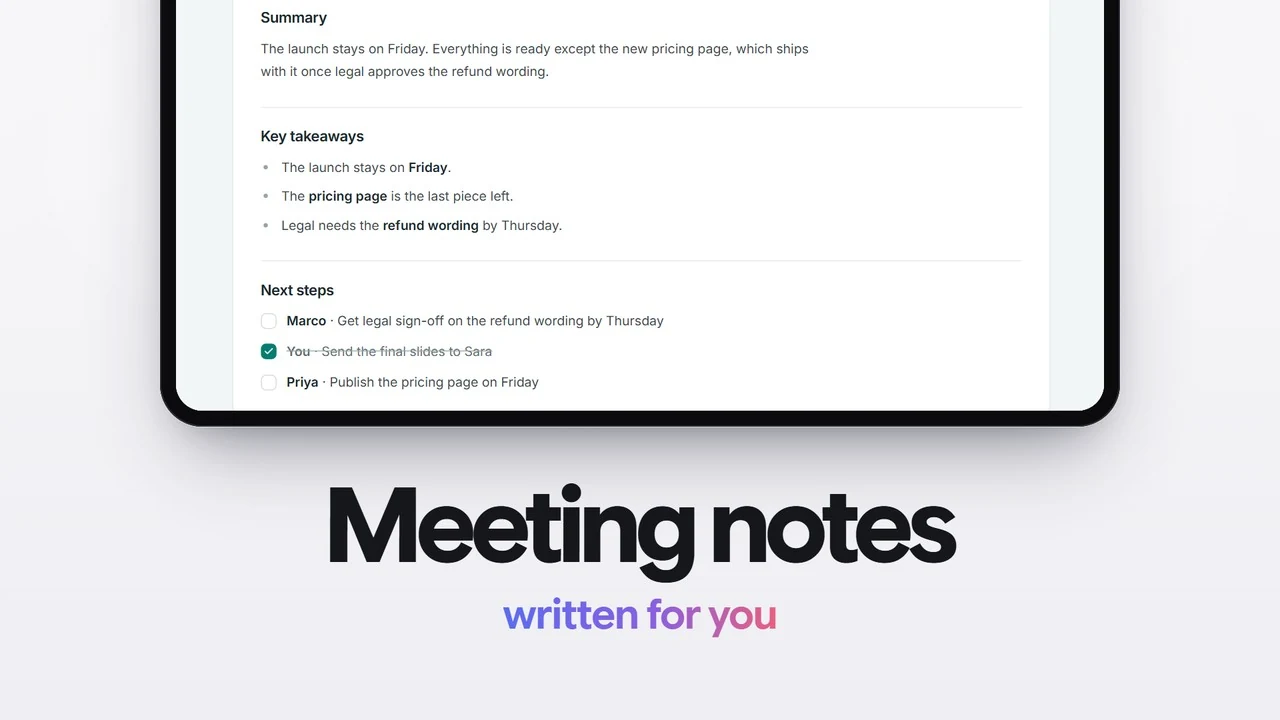
SpeakoFlow records your microphone and your computer's audio as two streams and transcribes them live, in any meeting app. Other voices are labelled Speaker 1, Speaker 2, and you can ask questions about the meeting afterwards. For the other free, no-bot options, see the open-source Granola alternatives.
Recording and transcription run on your machine. The notes are written by the AI model you choose, local or cloud. On macOS you need a virtual audio device such as BlackHole to capture the other side of the call.
Wispr Flow's Notetaker runs on Mac and Windows. It stores transcripts and summaries in Wispr's cloud and keeps meeting audio for 7 days.
Which one should you choose?
Choose by the device you dictate on and by where your speech is allowed to go.
- You use Linux
- SpeakoFlow. Wispr Flow lists no Linux version.
- You dictate on a phone
- Wispr Flow. SpeakoFlow has no iPhone or Android app.
- Your audio must stay on your machine
- SpeakoFlow, with its default local speech model.
- You dictate offline
- SpeakoFlow. Wispr Flow needs a connection for every dictation.
- Your laptop is old or slow
- Wispr Flow, or SpeakoFlow with a cloud speech service you choose.
- You manage a team with SSO
- Wispr Flow. Its Growth and Enterprise plans are built for that.
For other free options, see the best free and open-source Wispr Flow alternatives.
Frequently asked questions
Can I run SpeakoFlow and Wispr Flow at the same time?
Yes. They are separate desktop apps, so you can keep both installed while you decide. Give each one its own shortcut. SpeakoFlow's dictation shortcut defaults to Left Ctrl + Left Win on Windows, Fn on macOS and Ctrl + Space on Linux, and you can change it in Settings.
Is on-device transcription as accurate as Wispr Flow's cloud?
It depends on the model you pick. SpeakoFlow's catalog has 65 speech models: Parakeet is the default for English, Nemotron covers 28 languages and Whisper covers 99. Larger models are more accurate and need more computer. We have not run a head-to-head accuracy test against Wispr Flow, which chooses its model for you on its servers.
Does SpeakoFlow need a powerful computer?
Local transcription runs on your own hardware, so an older machine needs a smaller model. Intel Macs run on the CPU only and need macOS 14 or later. This is a real win for Wispr Flow: it transcribes in the cloud, so your hardware barely matters. SpeakoFlow 2.0 can also send speech to a cloud service you choose, which helps on a slow laptop.
Does Wispr Flow use my dictation to train its models?
On the Free and Pro plans, the setting Improve the model for everyone is on by default. You can turn it off in Settings, Data and Privacy. It is always off on Growth and Enterprise. SpeakoFlow has no telemetry, no analytics and no account, so it has no dictations of yours to train on.
Does SpeakoFlow have a phone app?
No. SpeakoFlow runs on Windows, macOS and Linux only. If you want to dictate on an iPhone or Android phone, Wispr Flow has apps for both.
How many languages does SpeakoFlow support?
It depends on the speech model. Parakeet, the default, is for English. Nemotron covers 28 languages with automatic detection, and Whisper covers 99. SpeakoFlow can also translate speech into English on your computer with Whisper, Canary, Granite Speech or Voxtral.
Try the free, local one.
SpeakoFlow 2.1.0 is free, open source and transcribes on your computer by default.
Windows, macOS and Linux. MIT licensed. No account, no telemetry.